1 / 150Use ← → to flip
Traffic Control for Construction Workers
Temporary traffic control for workers: signs, channelizing devices, flagging and the parts of a work zone.
Slide text
· 145 of 150 slides · by North Dakota Safety Council
The words on each slide as the author wrote them, read from the file by software so they can be searched. Layout, pictures and tables are not shown here: the slides above and the download are the original.
- Slide 1
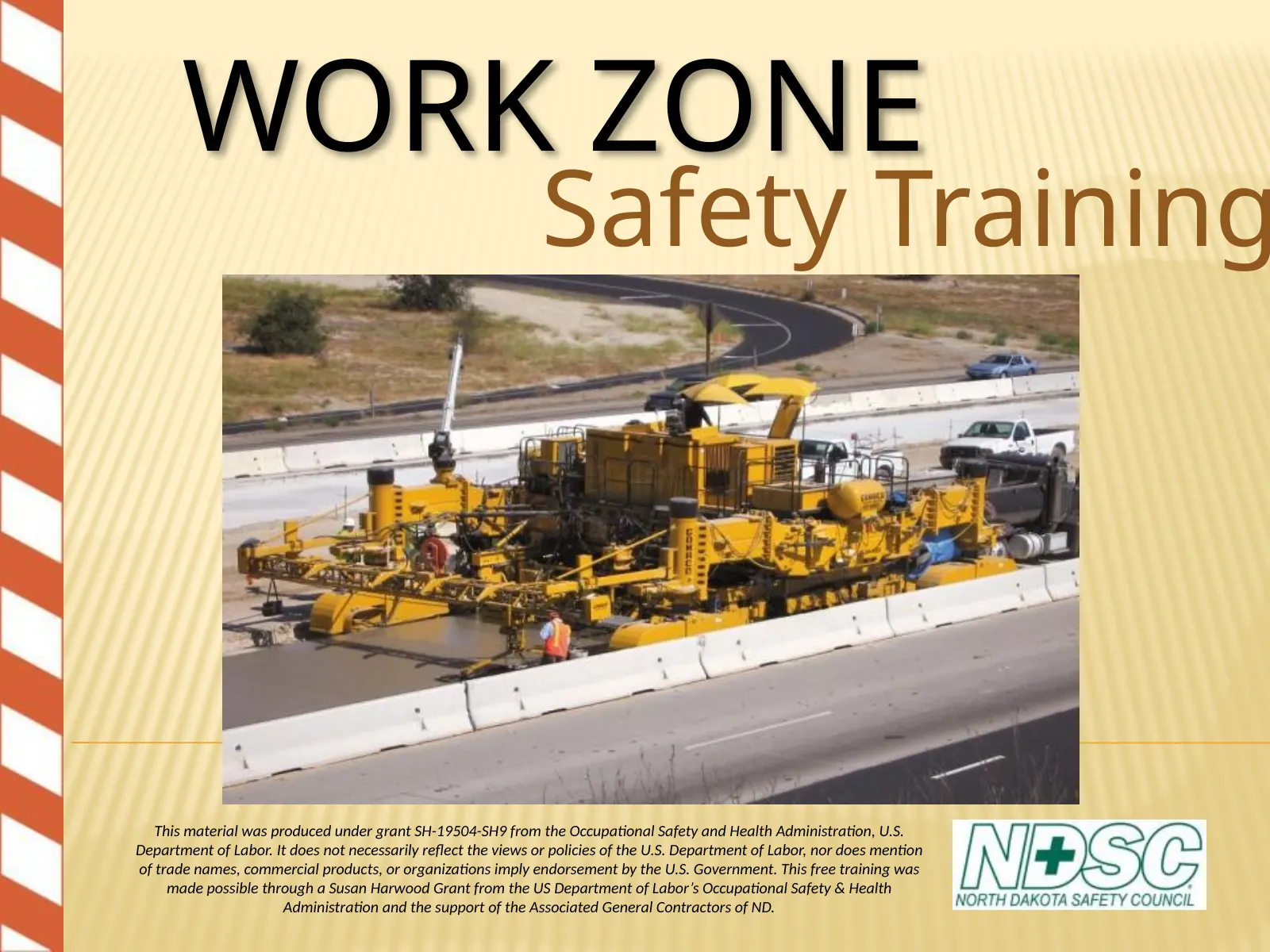
WORK ZONE
- Safety Training
- This material was produced under grant SH-19504-SH9 from the Occupational Safety and Health Administration, U.S.
- Department of Labor. It does not necessarily reflect the views or policies of the U.S. Department of Labor, nor does mention of trade names, commercial products, or organizations imply endorsement by the U.S. Government. This free training was made possible through a Susan Harwood Grant from the US Department of Labor’s Occupational Safety & Health
- Administration and the support of the Associated General Contractors of ND.
- Slide 2
TRAFFIC CONTROL FOR CONSTRUCTION
- WORKERS
- Presented by the
- North Dakota Safety Council
- Slide 3
DISCLAIMER
- This material was produced under grant SH-19504- SH9 from the Occupational Safety and Health Administration, U.S. Department of Labor. It does not necessarily reflect the views or policies of the U.S. Department of Labor, nor does it mention of trade names, commercial products, or organizations imply endorsement by the U.S. Government.
- Slide 4
INTRODUCTIONS
- Name
- Employer
- Job Responsibilities
- Years of Experience
- Slide 5
HOUSEKEEPING
- No Smoking
- Cell phones and pagers – OFF or Vibrate Location of –
- Restrooms
- Emergency Exits
- 5-10 minute breaks about every hour or two Lunch on your own – 1 hour
- Refreshments
- Slide 6
TAKE NOTES
- Notes help you grasp information faster
- Notes may be used on the final test along with your MUTCD
- Slide 7
Over the next 48 hours
- WHY NOTES?
- You retain only 10% of what you hear
- You retain only 30% of what you hear and see.
- You retain 70% of what you hear, see and take notes on.
- Slide 8
SECTION: 1
- Course
- Introduction
- Slide 9
WHY IS TRAFFIC CONTROL
- IMPORTANT?
- Slide 10
WHY ARE WE TRAINING ON TRAFFIC
- CONTROL?
- Save Lives – yours and others
- Traffic Control Plans
- Reduces Liability
- Cities
- Counties
- Contractors
- Project Owners
- It’s the LAW in many States and OSHA requires training for all construction workers 1926.21(b)(2)
- Slide 12
WORK ZONE ACCIDENTS
- 2-3% of all reported accidents occur in or around work zones
- Driver Inattention and excessive speeds leading cause
- More victims were automobile drivers and passengers than workers
- Higher percentage of side swipe and rear end accidents
- Over 40% of accidents occur in transition area ~ 1000 FATALITIES annually; 20% workers
- Slide 13
NATIONAL STATISTICS
- Source: Fatality Analysis Reporting System (FARS)
- 2009 ARF, NHTSA
- Slide 14
HIGHWAY WORKER FATALITIES
- Source: Bureau of Labor Statistics
- Slide 15
HIGHWAY EQUIPMENT RELATED
- FATALITIES
- Source: Bureau of Labor Statistics
- Slide 16
Eye level 6 ft - 3 in above ground level
- 16’ 0”
- 8’ 2”
- 8’ 2”
- 12’ 5”
- 3’ 10”
- 12’ 1”
- 18’ 7”
- Bulldozer
- Slide 17
Eye level 10 ft - 0 in above ground level
- 28’11”
- 14’ 8”
- 16’ 2”
- 14’ 3”
- 14’ 10”
- 21’ 11”
- Front End Loader
- Slide 18
Eye level 5 ft - 5 in above ground level
- 11’ 7”
- 11’ 5”
- 21’ 8”
- 4’ 10”
- 6’ 1”
- 3’ 1”
- 6’ 3”
- Bobcat/Skid Steer
- Slide 19
ND WORK ZONE FATALITIES
- Zero
- Fatalities in 2009
- Source: NDDOT
- Slide 20
WORK ZONE SAFETY CAMPAIGN
- Slide 21
WORK ZONE FINES
- Took affect in August of 2003
- $80 – Active Work Zone
- 1,300 tickets issued
- Speeding
- Following to closely
- Passing in no-passing zones
- Slide 22
Good Communication! (i.e. advance warning, safe path of travel)
- HOW DO WE MAKE WORK ZONES
- SAFER?
- Traffic Control Serves to provide Motorist, Pedestrian and worker safety by clearly:
- Warning
- Guiding
- Separating
- Slide 23
SECTION 2
- Traffic Control
- Standards
- Slide 24
COURSE OBJECTIVE
- Introduce the Basic Elements of Work Zone Traffic Control
- Develop a working knowledge of Part 6 of the MUTCD
- Develop Traffic Control Supervisor skills including:
- Planning
- Installing
- Monitoring
- Modifying and Removing
- Slide 25
BASIC CONCEPT OF STANDARD WORK ZONE TRAFFIC CONTROL
- Consistent
- Efficient – Minimize impact of Traffic
- SAFE
- We accomplish this through:
- Prior Planning & Designing
- Proper Installation
- Daily Monitoring
- Slide 26
WATCH PERSON
- Shall be provided to patrol the project to assure that the traffic control devices are properly placed in accordance with the traffic control plans and standards
- Project shall be patrolled at least twice daily
- On weekends and days when no work is in progress, once each morning and once each evening
- Provide documentation to the Engineer of the watchperson’s hours and activities
- Slide 27
INFORMATION ON STANDARDS
- Federal – MUTCD, contains the Minimum standards applicable to All streets and highways
- State/Local – go beyond Minimum. All states are required to have a manual which conforms with the MUTCD
- OSHA – has adopted the MUTCD by reference
- December 11, 2002 – Final Rule
- Regional Emphasis Program REP - Region 8 – Traffic Controls
- ARRA funded Projects - Target Inspections
- Slide 28
What is the MUTCD?
- The Manual on Uniform Traffic Control Devices (MUTCD) was developed to create standardized control during roadway construction, maintenance, and utility (work zone) operations.
- Slide 29
MUTCD
- Changes as technology and society changes
- Developed by the Federal Highway Administration (FHWA)
- Affects all streets and highways that are open to public travel
- Applies to “Everyone” working on those streets or highways
- Slide 30
OSHA REQUIREMENTS
- Can enforce worker safety requirements in the MUTCD
- OSHA’s jurisdiction:
- Worker safety
- High-visibility clothing
- Hardhats
- Safety shoes
- Currently reviewing traffic control as a “known hazard”
- State Plan States and Federal Jurisdiction States
- Slide 31
ABBREVIATIONS
- MUTCD
- Manual on Uniform Traffic
- Control Devices
- DOT
- Department of
- Transportation
- TCP
- Traffic Control Plan
- TTCZ
- Temporary Traffic Control
- Zone
- (Work Zone)
- Slide 32
DEFINITIONS PAGE 1A-10 MUTCD
- Upstream Traffic
- Downstream Traffic
- No allowance for deviation –Minimum requirement
- Should….an advisory condition – “Best Practice”
- Traffic leaving the work zone
- Shall…..a mandatory condition
- Traffic coming at the work zone
- recommended
- May … a permissive condition
- Optional & Allowed
- Slide 33
“SHALL” LANGUAGE IN STANDARDS
- “Traffic control devices or their supports shall not bear any advertising message or any other message that is not related to traffic control.”
- Standard identified in the MUTCD as minimum!
- BOLD FONT
- Are cited directly by OSHA
- Slide 34
“SHOULD” LANGUAGE FOR GUIDANCE STATEMENTS
- “Additional traffic control devices and criteria contained in other Parts of the Manual should be considered for use on low volume roads.”
- OSHA and some attorneys use should language as a basis for citations (General Duty see 6D.03[F.]) or questioning of program strength if recommendations –SHOULD – are not followed consistently
- Slide 35
“MAY” LANGUAGE FOR OPTION
- STATEMENTS
- “Temporary traffic barriers, including shifting portable or moveable barrier installations to accommodate varying directional motor vehicle traffic demands, may be used to separate two way motor vehicle traffic.”
- Slide 36
Support Statements in MUTCD
- Periodically throughout the MUTCD support statements appear for background information and to provide a basis of understanding of that section.
- Slide 37
SECTION 3
- FUNDAMENTAL PRINCIPLES
- OF
- TRAFFIC CONTROL
- Slide 38
FUNDAMENTAL PRINCIPLES
- Two Standards
- 1. “Control of the road users through a temporary traffic control zone shall be an essential part of highway construction, utility work, maintenance operations and incident management”
- 2. “All temporary traffic control devices shall be removed as soon as practical when they are no longer needed.” “When work is suspended for short periods of time, temporary traffic control devices that are no longer appropriate shall be removed or covered.”
- Slide 39
FUNDAMENTAL PRINCIPLE
- Motorist, Pedestrian and Worker safety in temporary traffic control zones should be an integral and high priority element of every project, from planning to construction phases.
- Road user movements should be inhibited as little as practical,
- Drivers will only adjust their speed if they clearly perceive a need to do so.
- Slide 40
FUNDAMENTAL PRINCIPLE
- Drivers, Pedestrians should be guided in a clear and positive manner
- Provide a roadside recovery area or clear zones
- Store work equipment, workers’ private vehicles, materials and debris away form roadway to minimize getting hit. (6B.01)
- Slide 41
FUNDAMENTAL PRINCIPLE
- “Each person whose actions affect TTC zone safety should receive training appropriate to level of decisions they have to make.”
- OSHA 1926.21(b)(2) training required for all construction workers
- Slide 42
FUNDAMENTAL PRINCIPLE AND TRAFFIC CONTROL MANAGEMENT PLANS (TCMP)
- Depending on scope of the project each State DOT complies with requires relating to projects by having established programs relating to:
- Public Relations and clean communications
- Audit of work zones (internal and external)
- Traffic control plans review process
- Systemic approach to traffic control including ability to manage impacts to the entire system (ITS = 1 solution)
- Slide 43
GOOD PUBLIC RELATIONS?
- Slide 44
SECTION 4
- Human Factors -
- Understanding Your
- Customer
- Slide 45
Human barriers lead to At-Risk Behavior
- Misleading practice of relying on common sense.
- Safety is a continuous battle with human nature.
- The power of peer pressure.
- The power of authority.
- False Perception of Risk.
- Familiarity breeds complacency.
- Slide 46
What are the Human Barriers?
- Misleading practice of relying on common sense.
- Individual intuition is acquired by personal experience and education.
- The record demonstrates “common sense” isn’t all that common.
- Slide 47
What are the Human Barriers?
- Safety is a continuous battle with human nature.
- Most people, young and old, do not think they will experience an accident. Why?
- Fortunately, it’s rare that an injury accident follows unsafe behavior.
- “It can’t happen to me.”
- Slide 48
What are the Human Barriers?
- The power of peer pressure.
- People will often deny reality and their own judgment in order to conform to a larger group.
- The bigger the group, the stronger the influence.
- Just one dissenter can often prevent another from succumbing to potentially dangerous conformity at work.
- “That’s the way everyone else always does it.”
- Slide 49
What are the Human Barriers?
- The power of authority.
- People, especially the young, will blindly follow the instruction of an authority figure even when the result can be surely harmful.
- Obedience study, Prof. Stanley Milgram, Yale University.
- “I was just following orders.”
- Slide 50
What are the Human Barriers?
- 5. False Perception of Risk.
- Workers have to rely on their 5 basic senses to influence their thinking about identifying and responding to a potential risk.
- These everyday sensations are dramatically affected by many personal factors that influence our perception of a risk.
- The perception of risk is usually much lower than actual risk.
- Slide 51
What are the Human Barriers?
- Familiarity breeds complacency.
- The more we know about a risk, the less it threatens us.
- Safety staff will bombard us with training, memos, signs, slogans, and verbal warnings but it’s still hard to compete with a complacency-induced familiarity caused by working close to a hazard for a long time without incidence.
- “We’ve been doing it this way for 25 years and no one’s been hurt yet.”
- Slide 52
CAUSES OF INCIDENTS
- Driver performance
- Environmental conditions
- Weather
- Lighting
- Road surface
- Slide 53
CAUSES OF FATALITIES & INJURIES
- Vehicle intrusions into work space
- Workers entering the traffic path
- Inadequate traffic control plan (TCP)
- Ineffective or improper use of traffic control devices and methods
- Use of improper clothing
- Visibility
- Retroreflectibility
- Slide 54
DRIVER PERFORMANCE
- A drivers performance will be impacted by:
- Expectancy – is the work zone a surprise? Is it set up as the driver would expect?
- Perception time – the time between a driver seeing a situation and realizing that a hazard exists
- Reaction time – the time between a driver’s realization of a hazard and taking action to avoid it.
- Ability – physical ability of the driver to react appropriately
- Vision – how well a driver sees under varying circumstances?
- Slide 55
ELEMENTS OF THE TRANSPORTATION
- SYSTEM
- Roadway
- designed
- constructed and maintained
- Vehicle
- designed
- manufactured
- Driver
- What you see is what you get
- Slide 56
Additional Elements
- Traffic Signals
- Traffic
- (Pedestrians)
- Environment
- Slide 57
DRIVING TASKS
- Tasks consist of:
- Observation and monitoring road way events
- Making decisions and taking specific actions
- Slide 58
DRIVER CHARACTERISTICS
- Drivers over rate their ability
- Drivers attitudes vary
- Slide 60
PEDESTRIANS
- Thinking about something else, not focusing on the task of walking
- Unaware of their local environment
- Willing to take chances
- Very “shortest path” oriented
- Slide 61
ENVIRONMENTAL CONDITIONS
- Environmental conditions include the condition of the road, lighting, and weather
- Work Zone operations can negatively impact road conditions, creating hazards
- Slide 62
Note the uneven edge of the road
- How many people lost hubcaps?
- Slide 63
HOLES AND RAISED UTILITIES
- Slide 64
STEEP DROP-OFFS
- Slide 65
SOFT AND LOW SHOULDERS
- Slide 66
PROPERLY MARK SURFACE HAZARDS
- Slide 67
DRIVER VARIABILITY
- Skill Levels
- Attitudes
- All over the board
- Road Rage
- Physical Ability
- Alcohol\Drug use
- Tourists
- Most of the time, Drivers Perform at a level below their capability
- Slide 68
ALCOHOL USAGE
- Slide 69
VARIATION IN ABILITY
- AGE
- Near Schools
- Elderly
- EXPERIENCE
- Ability levels vary
- PHYSICAL STATE
- Eyesight
- Reaction time
- MENTAL STATE
- Slide 70
DRIVER AGE AND EXPERIENCE
- Older drivers have poorer vision and reduced reaction time.
- In most cases, nighttime vision decreases with age
- Problems increase when signs are not well maintained, Channelizing devices are not properly placed, and there are abrupt changes in the levels of lighting
- Vision problems increase in poor weather conditions
- Population is growing older
- Slide 71
DRIVER AGE AND EXPERIENCE
- New drivers lack experience
- Little experience recognizing work zone warnings
- May become nervous when operating their vehicle in narrower lanes or adjacent to concrete barriers, barrels or cones
- May over correct or react in an unpredictable way
- May be unappreciative of the dangers found in work zones, and fail to reduce speeds or avoid distractions
- Slide 72
VARIATION IN ABILITIES
- Slide 73
PERCEPTUAL ABILITY
- Drivers acquire most info by sight
- “Cone of Satisfactory Vision”
- “Cone of Clear Vision”
- Placement of traffic control devices as close to the drivers line of vision
- TCD need to be kept far enough away so that they do not become hazards to themselves.
- Slide 74
VISION
- Cone
- Cone of of satisfactory
- satisfactory
- vision
- vision —
- 20 degrees;
- degrees;
- see
- see objects
- objects without
- without
- moving
- moving head
- head
- Peripheral
- Peripheral vision vision —
- 120-160
- 120-160 degrees; degrees; see
- see
- movement
- movement only
- only
- Cone
- Cone of of best
- best vision
- vision
- 3 3 degrees; degrees; a a
- person
- person fixes
- fixes or
- or focuses
- focuses on on an an object
- object
- Cone
- Cone of of clear
- clear vision
- vision —
- 10 degrees
- degrees x x 6 6 degrees;
- degrees;
- objects
- objects in in focus
- focus and
- and interpreted
- interpreted
- Slide 75
EYESIGHT AND AGE
- Slide 76
PERCEPTUAL ABILITY
- Pedestrians
- Considered a component of traffic flow
- Urban areas
- Usually far less concerned with their walking task
- Slide 77
ACQUIRING INFORMATION
- People read from:
- Left to right
- Top to bottom
- Only a few words can be read from a moving vehicle.
- Symbols or a simple messages work well
- Three words are a desirable maximum
- Slide 78
MEMORY
- Message needs to be close to action
- Message to complex, could be forgotten
- Incorrect or misleading in the past, driver will disregard the info the next time
- Standard devices, located consistent and in proper order reinforces driver’s memory for future reference
- Slide 80
REACTION TIME
- Once info is received, process available data and take appropriate action
- Four Steps
- Perception – receiving
- Intellectual – processing
- Decision – deciding
- Reaction - reacting
- Slide 81
REACTION TIME
- More time is required when:
- The situation is unfamiliar
- There are several choices
- The problem posed is complex
- Not at his/her best, physically or mentally
- The motorist is distracted from the driving task
- fatigue
- cellular phone
- reading the paper
- Slide 82
Reaction Time
- Reading a Book on the Interstate
- Worker Safety
- Is
- Impacted by Motorist
- Behavior
- Unsafe Condition
- Slide 83
CONDITIONED RESPONSE
- Habits are developed by drivers
- Normal Driving Habits include:
- Maintaining uniform speed for a given situation
- Traveling in a given lane
- Assume the right-of-way unless otherwise instructed
- Slide 84
EXPECTANCY
- People are creatures of Habit
- Decisions are made based on past experiences
- Motorists expect things to work a certain way
- Everyone stops
- When everyone operates in the same manner it’s efficient and safe
- Slide 85
DRIVERS PRIORITIES
- Basic driving tasks
- Control
- Guidance
- Use appropriate devices
- Restore existing devices after project
- Flaggers used when only absolutely necessary
- Navigation
- Roadway – first place guidance info is received
- Traffic Control Devices – are the second sources of information
- Slide 86
RECOGNIZING CHOICES Three Part Process
- 1. Identify alternative course of action
- 2. Evaluate the probability of success for each of the alternatives
- 3. Select from among the alternatives
- Slide 87
RECOGNIZING CHOICES
- Multiple options may confuse the motorist
- Choices require time to evaluate
- Some motorists can’t decide on anything
- Efficient\Safe Traffic Control Minimizes
- Options.
- Keep it Simple & Straightforward –
- KISS
- One clear choice
- Slide 88
CHOICES?
- Slide 89
ACCOMMODATING THE DRIVER
- Recognize that drivers make their own decisions based upon information that is available to them and their past successful experiences
- Can not be controlled
- Traffic control needs to work with the drivers and natural tendencies
- Slide 90
THINGS TO REMEMBER IN DESIGN
- OF TTCZ
- Provide clear Advance Warning
- Allow adequate time for driver decision and response
- Clearly indicate the desired path, don’t just block the lane
- Keep congestion to a minimum
- Slide 91
ALL TOO TYPICAL
- Unsafe Condition
- Slide 92
Suburban after impact
- Tractor-trailer following incident
- Slide 93
SECTION 5
- Work Zone Traffic Control Objectives
- Slide 94
PURPOSE OF TTCZ
- Is to Protect:
- Motorists
- Bicyclists
- Pedestrians
- Workers
- Slide 95
CONFLICTS TO OVERCOME IN WORK ZONES
- Surprise
- Changes and unusual travel patterns
- Conflicting information and confusion
- Distractions
- Temporary devices
- Additional hazards created by the work
- Workers material and equipment in the traveled way Dirt and debris Capacity restrictions and congestion changes
- Slide 96
Equipment and the Public
- Don’t Mix
- Slide 97
Work Zones Are Different
- Truck traveling at 70 mph (Unsafe
- Condition)
- Location of Work Is Extremely Dangerous
- Slide 98
WORK ZONES CONTROL SYSTEMS
- Warn the Road User of hazards
- Guide motorists and pedestrians through the WZ
- Through effective selection and placement of devices.
- In a clear and positive manner (mutcd)
- Separate motorists, pedestrians, and workers
- Slide 99
GUIDE PEDESTRIANS/BICYCLISTS
- Slide 100
- Unsafe Condition
- Slide 101
BASIC PRINCIPLES
- Use familiar devices
- Prepare concise, simple TCP’s
- Minimize the disruption to traffic
- Provide adequate devices to provide positive guidance in all weather conditions
- Monitor the integrity of the system with a pro-active inspection program.
- Slide 102
Uniformity
- Slide 103
BASIC PRINCIPLES
- Avoid Inhibiting Traffic:
- Minimize speed reduction
- Avoid frequent and abrupt changes in traffic lanes
- Minimize the duration of work activities
- If possible work during off peak hours of the day
- Slide 104
BASIC PRINCIPLES
- Guide
- In a clear and positive way
- Use adequate warning, delineation, and channelization for all weather events and visibility concerns
- Completely remove inappropriate pavement markings and mask signs
- Slide 105
BASIC PRINCIPLES
- Routine inspections
- Assign people trained responsibility for routine inspections
- Change traffic control when necessary
- Check job sites under all conditions
- If devices are no longer need remove immediately
- Slide 106
BASIC DESIGN CONSIDERATIONS
- Where is the work to occur: Outside the shoulder
- On the shoulder
- In the traveled way
- What type of roadway:
- Rural Roads
- Urban streets
- Major arterial and freeways
- Slide 107
TYPICAL PROJECT TRAFFIC CONTROL
- Planning
- Design
- Pre-construction activities Installation
- Activities during construction Removal
- Evaluation
- Slide 108
PLANNING
- Gather all available data
- Assess roadway characteristics
- Traffic volumes/conditions
- Involve those that are affected
- Identify all agencies that may have jurisdiction
- Slide 109
DESIGN
- Select the best traffic control alternative
- Based on
- Safety
- Cost
- Efficiency
- How construction is to be accomplished
- Site issues, Phases
- Slide 110
DESIGN
- “SELECTING HOW BEST TO CONTROL
- TRAFFIC”
- Based upon:
- Traffic factors
- Duration of work
- Location of work
- Type of work
- Weather
- Roadway characteristics
- Slide 111
DESIGN
- “TRAFFIC FACTORS”
- Traffic Volumes
- Average daily – Flow/Volume
- Peak hour
- Seasonal
- Holiday
- Special events - Concerts
- Traffic Speeds (posted, measured)
- Slide 112
DESIGN “DURATION OF WORK”
- Long term stationary Intermediate term stationary Short term stationary
- Short duration
- Mobile
- Slide 113
LOCATION OF WORK
- Outside the Shoulder Edge
- Devices may not be needed if work is confined to an area 15 ft or more from the edge of shoulder
- Road Machinery Ahead – if equipment occasionally comes closer to the road way
- Slide 114
LOCATION OF WORK
- On or Near Shoulder Edge
- Signed as if work is on the road itself, part of the drivers “recovery area”
- Advance warning signs are required
- Shoulder closure taper required on an 8+ foot paved shoulder
- Slide 115
LOCATION OF WORK
- On Median of Divided Highway
- Requires traffic control for both directions of traffic
- Advance warning signs
- Channelization devices
- Slide 116
LOCATION OF WORK
- Traveled Way
- Advanced warning
- General message that work is taking place
- Information about specific hazards
- Actions the driver must take to drive through the temporary traffic control zone
- Slide 117
ROADWAY TYPE
- Urban Arterial roads
- Urban Multi-lane Divided and Undivided Highways
- Rural two lane roads and other highways
- Freeways and Expressways
- Slide 118
PRE CONSTRUCTION ACTIVITIES
- Notify those affected
- Pre-construction meeting
- Public works department
- Utilities
- Water and sewer
- Phone
- Cable
- Inspection of devices before delivery to the site Identify the clear zone for all phases and configurations of the project through completion
- Slide 119
WORK ZONE INCIDENTS
- Root Cause(s) – Conditions, Hazards, TCP Implementation, Training, Execution of Training, Driver Impaired
- TCS, project engineer and superintendent need to evaluate all incidents to prevent recurrence
- Public’s attitude is effected by the way highway contractors perform work
- Slide 120
WORK ZONE INCIDENTS
- Liability Issues
- On-Site Reviews by the FHWA
- High points
- Marked improvement
- Specialized equipment
- training
- Deficiencies
- Insufficient detail to traffic control plans
- Poor maintenance of TC devices
- Minimal contractor management of safety at worksites
- Flagger performance
- Slide 121
WORK ZONE INCIDENTS
- Unsafe Condition
- Slide 122
SECTION 6
- Traffic Control Plans
- Slide 123
WHAT IS A TRAFFIC CONTROL PLAN
- A drawing of the control zone
- Description and list of devices to be used
- Special personnel requirements
- Schedule of when activities will be conducted
- Phone numbers of people to contact in case of an emergency
- Slide 124
FACTORS TO CONSIDER
- Location of the work (off shoulder) Speed and number of vehicles
- Length of the work area (duration) Hazards created by the work (repairing) Duration of the project (How long – 6G-1)
- Expected delays to the motorist (Public Relations)
- Work method and sequence (phases)
- Slide 125
TRAFFIC CONTROL PLAN (TCP)
- Hours of work in compliance with special provisions
- Placement of signs and barricades
- Use of devices such as:
- Cones
- Barrier type VII
- Stationing of Flaggers
- Access control
- Length of lane closure
- Slide 126
USE OF TYPICAL PLANS
- 2003 MUTCD has 46 typical plans TA’s TA’s are the minimum requirements, more than one may be used to satisfy your project needs
- TA’s can be upgraded
- Additional devices
- Flashing arrow panels Additional signs
- Higher grade sheeting on signs
- Slide 127
UPGRADING DEVICES
- Larger signs – 48”
- Improved pavement markings
- Barrier instead of Channelizing devices
- Variable message signs
- Longer advance warning areas
- Longer tapers
- Lighting
- Slide 128
DESIRABLE MODIFICATIONS
- Additional devices
- Flashing arrow panels
- More channelizing devices
- High intensity sheeting for warning signs
- Additional signs – BUT take care not to “Over Sign”
- Slide 129
CONSIDERATIONS FOR SPECIFIC
- CONDITIONS
- Additional devices may be required
- Level of protection should fit the hazard
- Devices should be considered as a system
- Provide a buffer space where possible
- What if - the motorist fails to get the message; how are you going to design a system of protection for workers and pedestrians?
- Slide 130
PRINCIPLES FOR PEDESTRIANS
- Pedestrians and vehicles should be separated
- Walkways should be a minimum of 4’ wide
- Walkways should be kept clear of obstructions & appropriate slope to grade
- Lights may be required to delineate the path
- Delineate all hazards occurring near the
- Slide 131
WORK ZONE ACTIVITY
- Work on the Right of Way
- Work activities off the roadway and shoulders
- Minimal hazards
- Shoulder Work
- Motorists must be advised
- Single warnings sign “Shoulder Work” = minimum
- Channelizing devices to close off the work space
- Slide 132
WORK ZONE ACTIVITY
- Haul Road Crossing
- Advance warning
- Flagging or traffic signals
- When closed barricade haul road
- Clean the pavement
- Remove signs
- Slide 133
WORK ZONE ACTIVITY
- Two-Lane Highway
- Short two way traffic taper (100ft)
- Used to slow approaching traffic
- MUTCD TA 7-17
- Flaggers should be stationed at each end of the work zone
- Slide 134
WORK ZONE ACTIVITY
- Four-Lane, Two Way Roadway – undivided
- Two lanes closed
- Divert traffic into opposing roadway
- TA 33
- Move Traffic One lane at a time
- Two tapers separated by 1/2L
- Slide 135
INTERSECTIONS
- Cross Streets require:
- Advance warning signs
- Traffic devices
- Appropriate Markings
- Should consider the effects on the traffic signals
- Slide 136
DETOURS
- Direct traffic onto another roadway
- Installed periodically to assure driver is on the correct route
- Should warn of the closure in advance
- Should guide traffic back to the original roadway
- Slide 137
PRINCIPLES FOR PEDESTRIANS
- Should be directed across the street if a safe passage cannot be provide
- Signs located near sidewalk should have a 7 foot clearance
- Use warning lights to delineate a path for pedestrians
- Stage work so that both sidewalks aren’t closed at one time.
- Slide 138
BICYCLES
- Provide alternative routes through the work zone
- Should not be directed onto the same path as pedestrians
- Slide 139
TRAFFIC CONTROL ZONE
- Advance Warning Area
- Transition Area
- Activity Area
- Work Area
- Buffer Space
- Termination Area
- Slide 141
ADVANCED WARNING AREA
- Slide 142
ADVANCE WARNING AREA
- All Temporary Traffic Control have an advance warning area
- Usually diamond shape signs
- Can be series of signs
- Can be a single sign
- Dependent on roadway type
- Slide 143
ADVANCE WARNING AREA
- Drivers are informed of the Work Zone
- Information is offered by a series of signs
- The First: Attention
- The Second:
- Detailed Information
- The Third: Information
- More signs may be used if the situation warrants.
- Specific
- Slide 144
SPECIAL CONSIDERATIONS FOR ADVANCED WARNING AREA
- Urban areas
- Intersections
- Alleys
- Shopping centers
- Side streets
- Higher signs
- Driveways
- Should not block view of entering vehicles
- Rural highways
- Greater warning distance
- Divided roadways
- Signing on both sides of the roadway
- Parked vehicles
- Existing Signs
- Not applicable should be covered or removed
- Slide 146
INADEQUATE SIGNING
- Slide 147
TRANSITION AREA
- Slide 148
TRANSITION AREA
- Required for lane closures
- Traffic is moved from the normal travel lanes
- May contain various types of tapers to close lanes or move traffic
- 40% of work zone accidents
- Slide 149
TAPERS
- Beginning of tapers should not be hidden behind curves
- Should begin well in advance of the view obstruction
- Tapers should be lengthened, not shortened
- Increases effectiveness
- Look for skid marks
- Sign that advanced warning is insufficient
- Slide 150
MERGING TAPER
- Typically used to close one lane of a multilane roadway and cause traffic from that lane to merge into an adjacent
- Should be long enough to enable merging drivers to have adequate warning and sufficient length to adjust their speeds
- Requires the longest distance
More on Vehicles & Equipment
ppt
51 slidesHeavy Equipment
Heavy equipment hazards (struck-by, rollover, blind spots, maintenance) from the WVU oil and gas site-preparation course; applies to any earthmoving site.
West Virginia UniversityArchivedOSHA Harwood grant
pptx
46 slidesIntroduction to Work Zone Safety
Introduction to roadway work zone safety from the North Dakota Safety Council work zone course.
North Dakota Safety CouncilArchivedOSHA Harwood grant
pptx
84 slidesMobile Equipment Safety
Mobile equipment safety in work zones: blind spots, backing, spotters and operator checks.
North Dakota Safety CouncilArchivedOSHA Harwood grant