1 / 62Use ← → to flip
Ergonomics
Ergonomics module from the Georgia Tech poultry and meatpacking worker safety course: risk factors, MSD signs and controls.
Slide text
· 62 slides · by Georgia Tech Research Institute
The words on each slide as the author wrote them, read from the file by software so they can be searched. Layout, pictures and tables are not shown here: the slides above and the download are the original.
- Slide 1
Poultry and Meatpacking Worker Safety
- Slide 2
Disclaimer
- This material was produced under grant number SH-29660-SH6 from the Occupational Safety and Health Administration, U.S. Department of Labor. It does not necessarily reflect the views or policies of the U.S. Department of Labor, nor does mention of trade names, commercial products, or organizations imply endorsement by the U.S. Government.
- Slide 3
Introduction to Ergonomics
- Learn the proper use of equipment, tools, and machine controls;
- Recognize early symptoms of MSDs and the importance of early reporting ; Learn the procedures for reporting work-related injuries and illnesses
- Learn about the company’s ergonomics process;
- Learn how to identify ergonomic risk factors;
- Learn the process for reporting ergonomic concerns. io
- ion
- to
- Ergonomics
- Slide 4
What is Ergonomics
- It is the study of work
- It is a way to make jobs/tasks fit the employees better
- It is a way to make work easier
- Slide 5
Fitting the Job to the Worker
- Slide 6
Fitting the Job to the worker
- Slide 7
Making jobs easier
- Slide 8
Making jobs easier
- Slide 9
Environmental Factors that can make jobs can more difficult
- Poor Lighting
- Adequate Lighting
- Slide 10
Environmental Factors that can make jobs can more difficult
- Slide 11
How does ergonomics affect you?
- It can help you do work safely
- It can make you more comfortable
- It can prevent injuries
- It can result in decreased mistakes and rework
- Decreased turnover
- Slide 12
What can you do to help?
- Be aware of what is happening in your work area
- Go to your supervisor with questions or concerns
- Think about how you would improve your workplace and share your ideas with the safety team
- Report any symptoms to supervisor or safety people
- Be a team player
- Slide 13
Early Identification of Problems
- Slide 14
What is an ergonomic related injury or disorder?
- Nerves
- Tendons
- Muscles
- Ligaments
- Slide 15
Why do these types of injuries occur?
- Injuries can result from working incorrectly
- Bad workstation design
- Not adjusting the m achines/stands properly
- Bad tool design
- Employees try to do things their bodies can’t
- Work too fast, hard, long or in a bad posture
- Pick up an object that is too heavy
- Don’t use proper lifting or cutting technique
- Slide 16
What areas of the body are most often affected?
- Hands
- Arms
- Backs
- Shoulders
- Slide 17
What are the signs and symptoms of these types of injuries?
- Aching
- Burning
- Pain
- Numbness
- Soreness
- Slide 18
How to report problems
- Report pain or discomfort to your supervisor or facility nurse
- The sooner the better
- Tell them:
- When you first noticed the pain
- How long it has lasted
- When it is the worst
- What part of the body hurts
- What job you were doing
- Slide 19
Medical Treatment
- If the nurse or doctor does give you treatment or restrictions follow it.
- If they tell you to only lift 10 lbs, don’t lift anything more than that.
- Follow the treatment or restrictions away from work also.
- Slide 20
How do we stay away from problems?
- Learn to recognize risk factors
- Adjust your workstation properly
- Use proper technique for lifting, cutting, etc.
- Slide 21
Risk Factors and Solutions
- Slide 22
Risk Factors
- Force
- Awkward Postures
- Repetition
- Temperature
- Vibration
- Contact Stress
- Slide 23
Risk Factors - Force
- Slide 24
Risk Factors – Force
- Slide 25
Risk Factors - Force
- Slide 26
Risk Factors – Force
- Slide 27
Risk Factors - Force
- Slide 28
Risk Factors - Force Solutions
- Slide 29
Risk Factors - Force Solutions
- Slide 30
Risk Factors - Force Solutions
- Slide 31
Risk Factors - Force Solutions
- Slide 32
Risk Factors - Force Solutions
- Slide 33
Risk Factors - Awkward Postures
- OK
- Slide 34
Risk Factors - Awkward Postures
- Slide 35
Risk Factors - Awkward Postures
- Slide 36
Risk Factors - Awkward Postures
- Slide 37
Risk Factors - Awkward Postures
- Slide 38
Risk Factors - Awkward Postures
- Slide 39
Risk Factors - Awkward Postures
- Slide 40
Risk Factors - Awkward Postures
- Slide 41
Risk Factors - Awkward Postures
- Slide 42
Risk Factors - Awkward Postures
- Slide 43
Risk Factors - Awkward Postures
- Slide 44
Risk Factors - Awkward Postures
- Slide 45
Risk Factors - Awkward Postures
- Slide 46
Risk Factors - Awkward Postures
- Slide 47
Risk Factors - Posture Solutions
- Slide 48
Risk Factors - Posture Solutions
- Slide 49
Risk Factors - Posture Solutions
- Slide 50
Risk Factors - Posture Solutions
- Slide 51
Risk Factors - Repetition
- Slide 52
Risk Factors – Repetition
- Slide 53
Risk Factors – Repetition Solutions
- Job Rotation
- Job Enlargement
- Micro Breaks and Rest Pauses
- Slow down
- Add more people
- Slide 54
Risk Factors - Temperature
- Slide 55
Risk Factors – Temperature
- Slide 56
Risk Factors - Contact Stress
- Slide 57
Risk Factors - Contact Stress Solution
- Slide 58
Risk Factors - Contact Stress
- Slide 59
Risk Factors -
- Contact Stress Solutions
- Slide 60
What can you do to help?
- Be aware of what is happening in your work area
- Go to your supervisor with questions or concerns
- Think about how you would improve your workplace and tools and share your ideas with the safety team
- Report any symptoms to supervisor or safety people
- Be a team player
- Slide 61
What do you need to know?
- Learn the proper use of equipment, tools, and machine controls;
- Recognize early symptoms of MSDs and the importance of early reporting ;
- Learn the procedures for reporting work-related injuries and illnesses
- Learn about the company’s safety/ergonomics process;
- Learn how to identify ergonomic risk factors; and
- Learn the process for reporting ergonomic concerns and providing feedback to the employer.
- Slide 62
What do you need to know?
- Proper care, use, sharpening and handling techniques for knives and scissors;
- Use of any special tools and devices;
- Use of safety equipment, including personal protective equipment (PPE), as it relates to MSD prevention (such as the proper fit of gloves);
- Use of proper lifting techniques and lifting devices; and
- Use of ergonomic stands and platforms
More on Ergonomics
pptx
57 slidesIntroduction to Ergonomics (OSHA 10-Hour General Industry Outreach)
OSHA's general industry outreach ergonomics deck (2017): risk factors, MSDs and controls.
U.S. Department of Labor, OSHAPublic domain
pdf
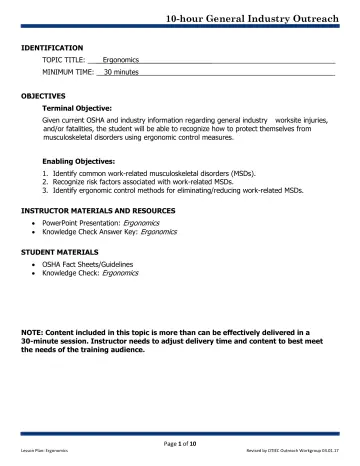
10 slidesIntroduction to Ergonomics: Lesson Plan (OSHA 10-Hour General Industry Outreach)
Instructor lesson plan (objectives, timing, teaching steps) for the OSHA General Industry introduction to ergonomics outreach deck.
U.S. Department of Labor, OSHA (with the OTIEC Outreach Workgroup)Public domain
pdf
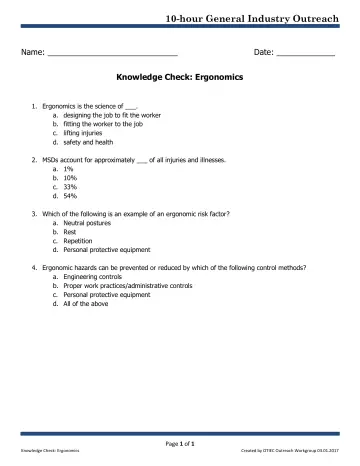
1 slidesIntroduction to Ergonomics: Knowledge Check (OSHA 10-Hour General Industry Outreach)
Student knowledge-check quiz for the OSHA General Industry introduction to ergonomics outreach deck.
U.S. Department of Labor, OSHA (with the OTIEC Outreach Workgroup)Public domain